
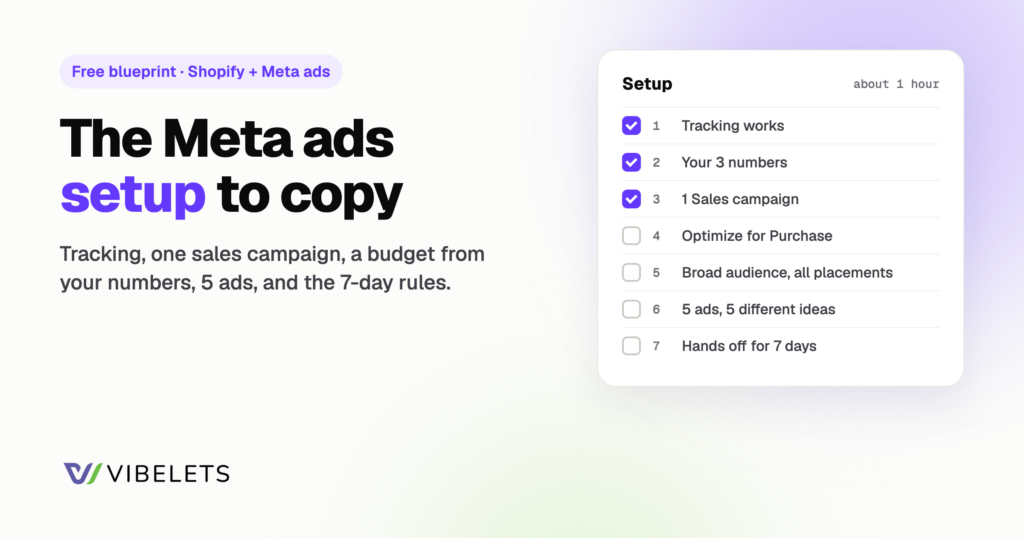
The setup behind the screenshots: tracking that works, one sales campaign, a budget that fits your numbers, and enough ads for Meta to learn from. Copy it in about an hour. Free, no email needed.
Quick answer: fix tracking before you spend a dollar. Then run 1 sales campaign that optimizes for purchases, with broad targeting, open placements and 3 to 6 ads that each try a different idea. Set the budget from your break-even CPA, not a guess. Then leave it alone for 7 days.
Want this set up and checked for you? Vibelets audits your Meta ad account, spots setup gaps and writes a launch plan for your store. Vibelets does the work, you make the calls.
Start your 14-day free trial · nothing charged today
Step 1: Tracking · Step 2: Your numbers · Step 3: The campaign · Step 4: The ads · Step 5: The first 7 days · Printable setup sheet · Prompts · FAQ
What this is
A plain setup for a Shopify store running Meta ads (Facebook and Instagram) for sales. It suits a first launch, or a reset when your account has become a mess of old campaigns. Big results come from good products and good ads. A clean setup is what lets Meta find the buyers for them.
Key takeaways
- Tracking first. If Meta can’t see your purchases, every other setting is a guess.
- One campaign, few ad sets. Meta learns faster when the budget isn’t split into small pieces.
- Budget comes from your break-even CPA. Meta usually needs about 50 purchases a week per ad set to finish learning.
- Ideas beat settings. Start with 3 to 6 ads that are truly different, not 6 versions of one video.
- Don’t touch it for 7 days, except to stop an ad that hits your stop point.
Step 1: Tracking (do this before anything else)
- Connect the Facebook & Instagram app in Shopify. It links your store, your Meta Pixel and your catalog. In the app’s Settings, then Data sharing, choose the highest level you’re comfortable with. Higher levels send events from your server too (the Conversions API), which survive browser blockers better.
- Verify your domain in Meta Business Settings, under Brand safety, Domains.
- Test a purchase. Place a real order (refund it after). Within an hour, Events Manager should show a Purchase event with the right value and currency.
- Check for double counting. In Events Manager, the Purchase event should show browser and server events deduplicated. Meta higher than Shopify orders is a warning sign.
- Check match quality. Meta scores Event Match Quality from 1 to 10 and suggests 6.0 or higher for Purchase.
Step 2: Your numbers (10 minutes)
Example: a $50 order that leaves you $20 after product cost, shipping, payment fees and discounts. That’s a 40% contribution margin.
| Number | Formula | Example |
|---|---|---|
| Break-even ROAS | 1 / contribution margin | 1 / 0.40 = 2.5 |
| Break-even CPA | Average order value x contribution margin | $50 x 40% = $20 |
| Stop point per ad | 2 x break-even CPA | $40 with no sale, then pause |
| Budget to finish learning | 50 x your expected CPA, per week | 50 x $20 = $1,000 a week (about $145 a day) |
| Test budget (if smaller) | Number of ads x stop point, per week | 5 ads x $40 = $200 a week (about $30 a day) |
The 50 comes from Meta: an ad set usually leaves the learning phase after about 50 results in the 7 days after its last big edit. Can’t afford that yet? Start with the test budget, still optimize for purchases, and keep it to 1 ad set. “Learning limited” is a warning, not a failure.
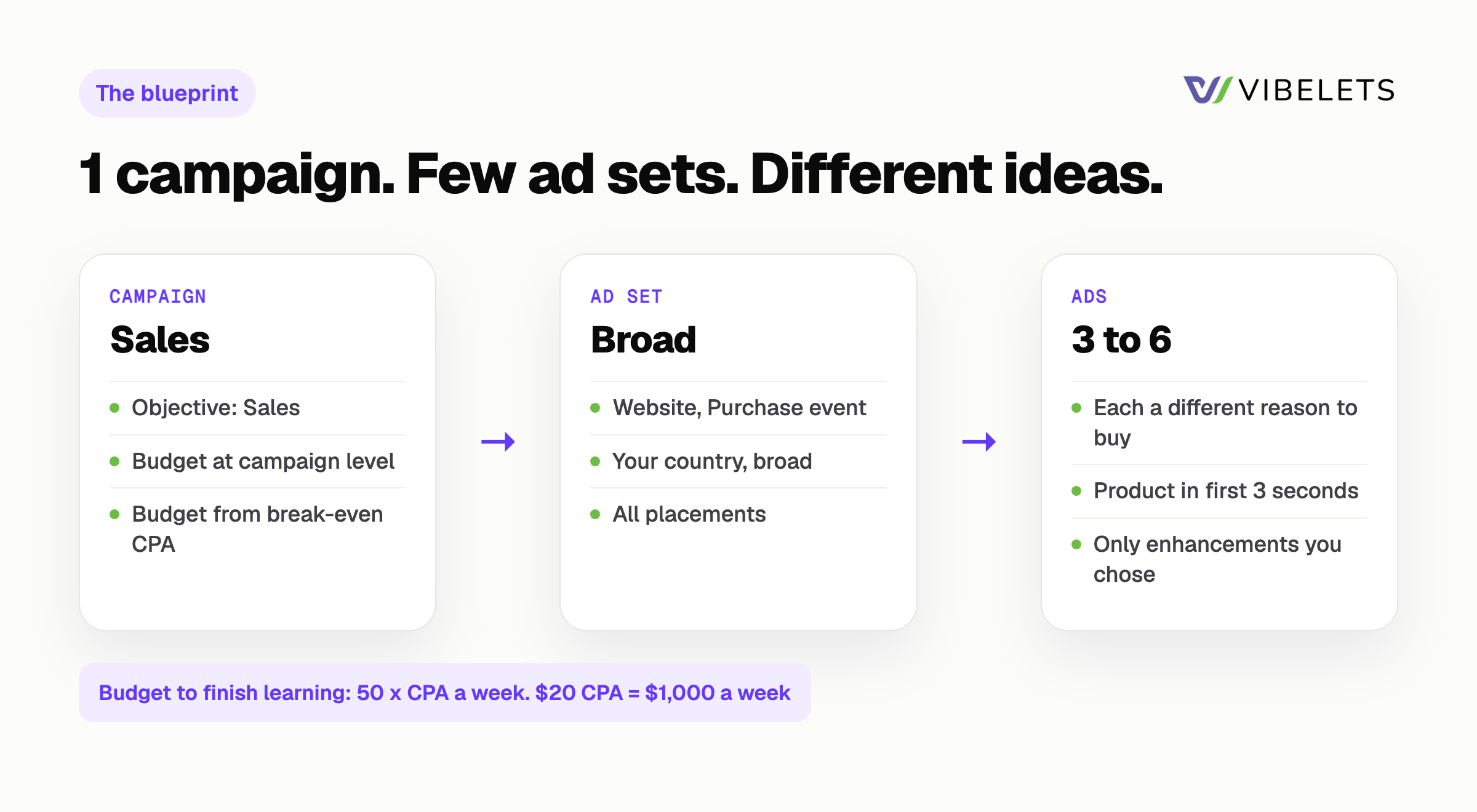
Step 3: The campaign blueprint
| Level | Setting | Why |
|---|---|---|
| Campaign | Objective: Sales. 1 campaign. | Tells Meta to look for buyers, not clickers. |
| Campaign | Budget at campaign level (Advantage+ campaign budget) | Meta moves money to what sells. |
| Ad set | Conversion location: Website. Event: Purchase. | Optimizing for clicks or add to cart finds the wrong people. |
| Ad set | Audience: your country, broad, Advantage+ audience on | Your ads choose the buyer now. Narrow interests often just raise costs. |
| Ad set | Placements: Advantage+ (all) | More room to find cheap buyers. Check placements weekly instead. |
| Ad set | Attribution: keep the default and write it down | Judge every week with the same setting. |
| Ads | 3 to 6 ads, each a different idea | Gives Meta real choices. See step 4. |
| Ads | Advantage+ creative enhancements: only the ones you chose | Some change your images, text and music. |
Name everything so you can read it in 6 months: 2027-01 | Sales | Broad US | Purchase for the campaign, and Hook-problem | UGC | v1 for each ad. More on structure in how to structure a Meta campaign so learning can finish.
Already running ads? Vibelets checks your current setup against these steps and lists what to fix, with the reason for each change. Nothing goes live until you approve it.
Step 4: The first 5 ads
Each ad should test a different reason to buy. Same product, different idea. Vertical video (9:16) for Reels and Stories. Show the product in the first 3 seconds.
| Ad | Idea | First line example |
|---|---|---|
| 1 | The problem it solves | “Tired of [problem]? This fixed it in a week.” |
| 2 | Customer review (UGC style) | “I didn’t think this would work. I was wrong.” |
| 3 | Product demo | “Here’s what it actually does, in 15 seconds.” |
| 4 | Compare with the usual option | “Why I stopped buying [usual option].” |
| 5 | The offer | “[Deal] until [real date]. Here’s what you get.” |
Send every ad to the product page it shows, not the home page. Before launch, open each ad inside the Instagram app and try to buy. If you get clicks but no sales later, read 8 leaks between your ad and your checkout.
Step 5: The rules for the first 7 days
- Don’t edit the budget, audience or ads. Big edits can send the ad set back into learning.
- Do pause any ad that hits your stop point ($40 in the example) with no purchase.
- Check once a day, act once a week. Daily numbers swing. Decide on the full 7 days.
- Day 8: keep the ads under break-even CPA, pause the rest, add 2 or 3 new ideas. Then run the weekly Meta ads checklist from here on.
Printable setup sheet
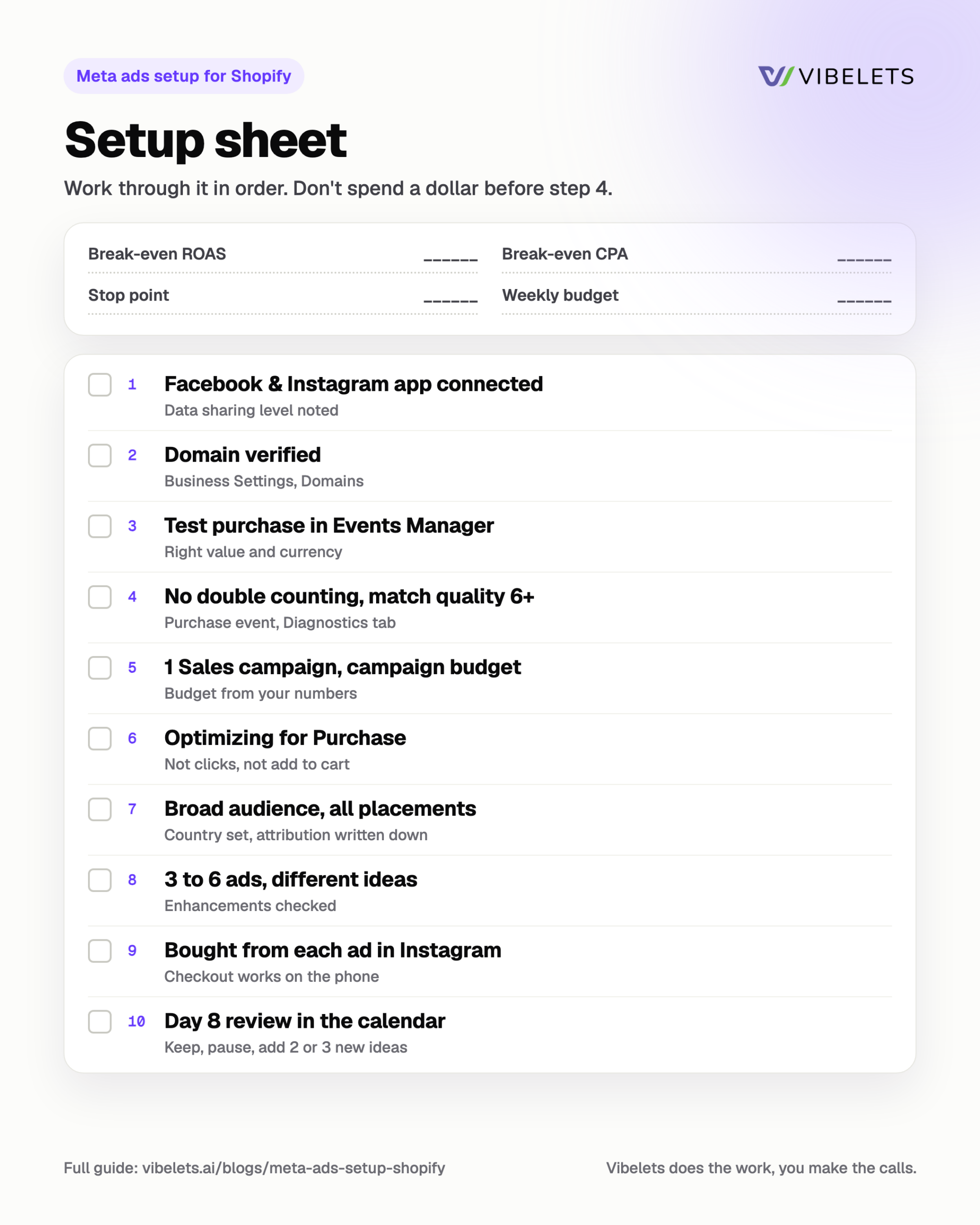
Break-even ROAS ____ Break-even CPA ____ Stop point ____ Weekly budget ____ Launch date ____
| Done | Step | Check |
|---|---|---|
| [ ] | Facebook & Instagram app connected | Data sharing level: ____ |
| [ ] | Domain verified | Business Settings, Domains |
| [ ] | Test purchase seen in Events Manager | Right value and currency |
| [ ] | No double counting, match quality 6.0+ | Score: ____ |
| [ ] | 1 Sales campaign, campaign budget | Budget: ____ a day |
| [ ] | Optimizing for Purchase | Not clicks, not add to cart |
| [ ] | Broad audience, all placements | Country: ____ |
| [ ] | 3 to 6 ads, different ideas | Enhancements checked |
| [ ] | Bought from each ad inside Instagram | Checkout works |
| [ ] | Day 8 review in the calendar | Date: ____ |
Copy-paste prompts for Claude or ChatGPT
I sell [product] at $[50] average order value with a [40]% contribution margin. Work out my break-even ROAS, break-even CPA, a stop point per ad, the weekly budget to get 50 purchases, and a smaller test budget for 5 ads. Show the maths in a table.Here is my product page and 5 customer reviews: [paste]. Write 5 short video ad ideas for Instagram Reels, each built on a different reason to buy (problem, review, demo, comparison, offer). For each, give the first line on screen, what we see in the first 3 seconds, and a one-line caption.Here are screenshots of my Meta campaign, ad set and ad settings: [attach]. Compare them with this setup: 1 sales campaign, campaign budget, purchase optimization, broad audience, all placements, 3 to 6 different ads, only chosen creative enhancements. List anything that doesn't match and why it matters.Two ways to set it up
Option 1: Set it up yourself
Print the setup sheet and work through it in order. Use the prompts for your numbers and your first 5 ad ideas. Free.
Option 2: Let Vibelets set the plan
Connect your Meta ad account. Vibelets audits it, writes the launch plan and the weekly plan of what to pause, test and launch, with the reason for each change. It runs only the changes you approve. Meta only, and it never promises a ROAS or CPA.
Start your 14-day free trial
Built for Shopify and DTC brands: Vibelets for ecommerce.
FAQ
How did that store get 8x ROAS?
Nobody can promise a number. High ROAS usually comes from a product with good margins, ads that show a clear reason to buy, tracking that works, and a store that converts. This setup gets the last two right and gives the ads a fair test. The product and the ideas are yours.
Should I use interest targeting?
Start broad. Meta’s delivery now leans on your ads and your purchase data to find buyers. If you test interests, test them as a second ad set against broad, with the same ads, and read the result after 7 days.
How many campaigns should I run?
One sales campaign is enough to start. Add a second only for a clear reason, like a separate country with a different price, or a big sale you want to control on its own.
What if I only have $20 a day?
Run 1 campaign, 1 ad set, 3 ads, optimizing for purchases. It will likely stay in learning. That’s fine: use your stop point to cut losers and keep testing new ideas. Budget grows from ads that prove themselves.
Related guides
- How to structure a Meta campaign so learning can finish
- Meta ads checklist for Shopify: 9 weekly checks
- Meta ads getting clicks but no sales? 8 leaks to fix
Sources
Checked 21 November 2026.
- Meta Business Help Center: About the learning phase
- Meta Business Help Center: Significant edits and learning phase
- Meta Business Help Center: About learning limited
- Meta Business Help Center: About event match quality
- Meta Business Help Center: About deduplication for Meta Pixel and Conversions API events
- Meta for Developers: Advantage+ campaign experience for Sales, App and Leads