

Meta & Facebook Ads
3 min read

Static images still drive 60 to 70% of conversions on Meta, which makes the image path the fastest win on the whole connector: no polling, no rendering queue, finished URLs in the same reply.
Here's how it runs inside Claude with the Vibelets MCP, including the 1 mechanic everyone misreads and the ranking behaviour we watched change in real time while writing this. Connect in 1 minute if you haven't.
Key takeaways
The template catalog ranks itself per product. Our test re-ranked live: footwear pulled Kinetic Poster to the top, a skincare serum pulled Luxury Monochrome, with the reason attached to each.
There is no variation count on images. The count applies per template: 3 templates at a count of 2 is 6 images, and the count maxes at 6.
Aspect ratios are 9:16 and 1:1 only, and results return in the same reply as finished URLs. No polling.
On-image copy generates per variation and any field can be overridden, but templates that render without typography quietly skip the copy step.
Ranked per product, with reasons
Ask for templates and the catalog comes back sorted by fit, with the top matches flagged recommended and the reason attached. This isn't cosmetic. We ran 2 different products through while writing this post and watched the podium change.
Formal oxford shoes surfaced Kinetic Poster, Authentic Counter UGC, and Multi-Angle Single Product. A barrier repair serum surfaced Luxury Monochrome, Authentic Counter UGC, and Before/After Reveal. Same catalog, different product, different podium, so the pick becomes an approval rather than a guess.
The math nobody expects
Images don't take a variation count. Every template you select becomes its own image, and the image count you set applies per template. 3 templates at a count of 2 is 6 images, not 2, and the count tops out at 6.
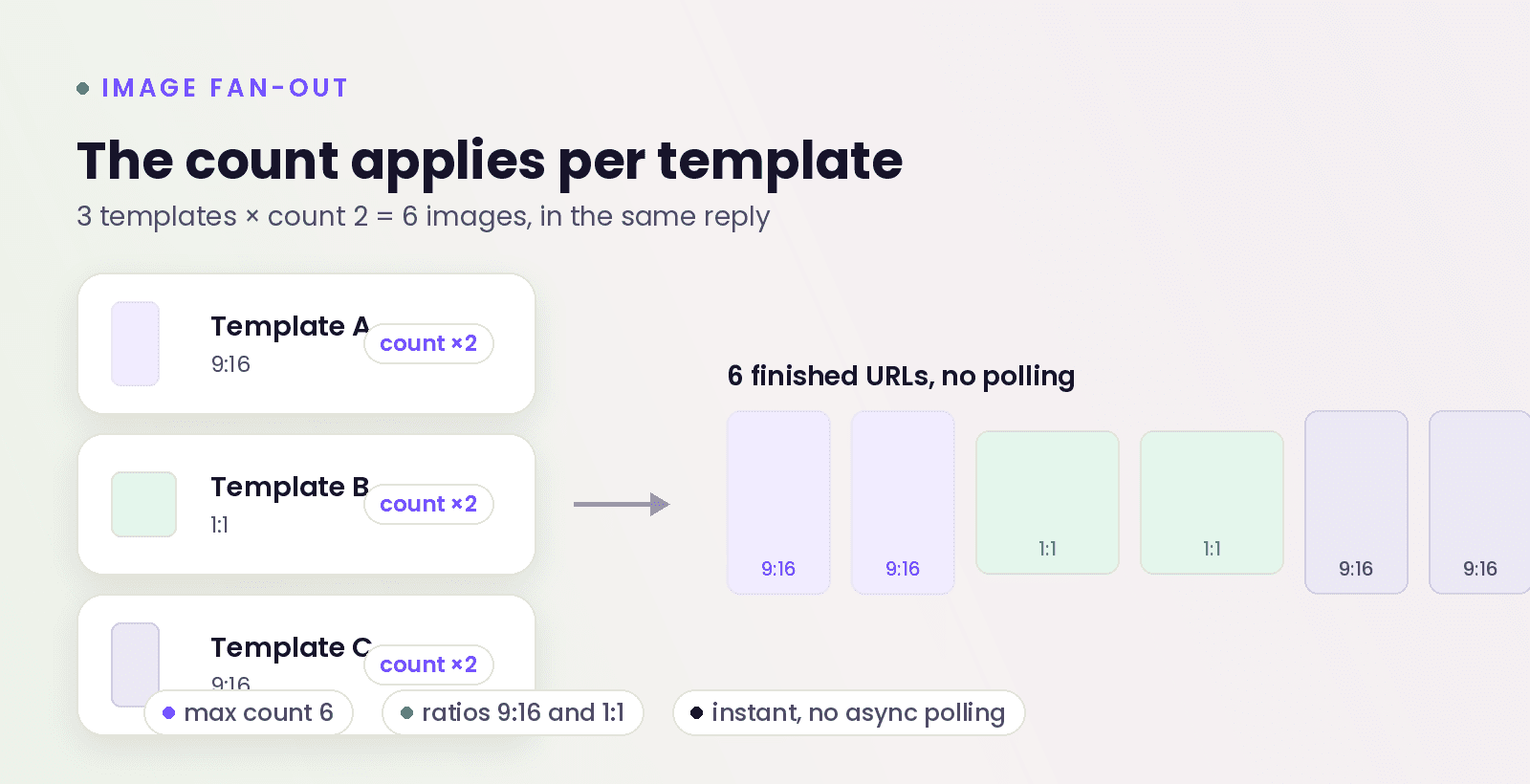
The ratios are 9:16 and 1:1 only, so plan placements accordingly, and the finished URLs come back in the same response. Run the image path first while you learn the connector, precisely because there is no waiting.
The quiet gotcha: the copy step only applies to templates that carry on-image text. Several strong product-hero templates render clean with no typography, and on those the copy generator returns nothing and quietly does nothing. Check which is which before you go hunting for copy to edit.
Copy you can override, per image
For templates that do carry text, the engine writes a distinct hook, headline, subline, and CTA per variation, and a single field on a single image can be overridden without touching the rest. Change 1 CTA on variation 2 and everything else stays put.
3 images before your coffee cools
Connect free, describe your product in a sentence, and take the recommended trio.
2 prompts to paste
Product to image set
Build a set of image ads for [PRODUCT URL]. Show me the recommended templates first with why each one fits, and tell me which of them carry on-image text so I know where I can edit copy. Stop at review_plan before generating.
Override 1 field
On variation 2 only, change the CTA text to "[YOUR CTA]" and leave everything else untouched. Then show me review_plan again before we generate.
Conclusion
The image path is the connector's instant half: describe a product, approve the recommended templates, and read the combinations list at review_plan, because that list is what actually builds. Statics carry most Meta conversions, and now they cost a sentence.
FAQ
Pick the combination deliberately: 2 templates at count 2, or 4 templates at count 1. The combinations list in review_plan is the number that actually builds, so read that rather than the count.
Yes. The product step takes a URL, a plain text description, an image, or all 3. Our entire test session ran on a 2 sentence description.
The 9:16 ratio covers Stories and Reels surfaces, and 1:1 covers feed. There is no 16:9 on the image path, so landscape placements need the video side or a crop.
Yes, generation is the credited step, 1 per image. A 3 template run at count 2 is 6 generations, which is why review_plan's combinations list is worth reading first.
Sources
Meta ads examples and benchmarks, 2026, for the share of conversions driven by static images
Model Context Protocol specification, for how MCP servers and clients connect
Make ads that sell
your Products.
Generate on-brand product ads in minutes, no designer or brief required.
Trusted by 400+ growing brands