

Meta & Facebook Ads
18 min read

Most media buyers spend half their week on work that never required judgement: pulling competitor ads, checking pixels, comparing this week to last week, noticing that a creative is dying. Grok Bot, xAI's agent product, can take that half off your plate.
This guide sets up a 12-bot system for Meta ads from zero: 3 research bots, 4 audit bots, 3 monitoring bots and 2 optimisation bots. Every skill prompt is included, along with the safety rules that keep your ad account alive, the rollout order that keeps you inside your usage quota, and the fixes for the ways this breaks in practice.
You'll need about 2 hours for the core setup, then roughly 20 minutes per bot. Do not build all 12 in a weekend. The rollout section explains why.
Key takeaways
Grok Bot gives every account one shared cloud computer that all bots use, so credentials and files are shared across bots and a narrow job per bot is the only thing keeping them in lane.
Never let a bot click through Ads Manager. Every bot that touches your ad account should use the Meta Marketing API; only the public Ad Library is safe to browse, because Meta's Ad Library API excludes commercial ads.
Set approval rules before the first run: reads can be Always Allow, but every write to a live ad account needs Require Approval until you've watched the bot for at least 2 weeks.
Start with 3 bots, not 12. Early users report a 6-agent setup consuming over 40 percent of a weekly quota on day 1, and there are no published numeric allowances to plan against.
The system reads, watches and enforces rules you wrote. It does not produce strategy, taste or creative. Budget for that gap before you build.
What Grok Bot is and why the architecture matters
Grok Bot is a desktop and mobile app that gives you persistent agents, each with a role, memory, skills and routines, all running on a cloud computer assigned to your account. xAI launched it in beta on 11 August 2026. It is not the Grok chat model inside X and not a browser extension.
4 architectural facts shape everything you'll build:
1 computer, all bots. The cloud computer belongs to your account, not to each bot. All 12 bots share its filesystem, browser sessions, cookies and command line credentials. xAI's own guidance is not to treat separate bots as a security boundary. If 1 bot signs into a tool, every bot effectively has that login.
1 task at a time per bot. Bots work in parallel on separate screens, but each runs a single computer-use task at a time. The system below staggers schedules so 12 bots never fight for the same morning.
Separate memory per bot. Each bot keeps its own conversation history, role context and summaries. This is what makes narrow roles work: a bot that only ever audits pixels stays good at auditing pixels.
Static egress IPs. Grok Bot computers reach the internet from fixed addresses. That matters for safety rule 2 below, because a fixed IP on a fixed schedule is the most fingerprintable automation pattern there is.
You'll use 3 building blocks. A skill is a reusable set of instructions for how to do a task. A routine tells 1 bot when to run, on a schedule or after a supported event. Plugins are connectors to outside services, including anything that speaks MCP. Each bot can own up to 50 routines, and the app keeps the 20 most recent run records per routine.
xAI's recommended sequence is the right one: run the job once as a normal task, make it reliable, save it as a skill, and only then schedule it as a routine. 1 good run is not reliability. Run each bot manually at least 3 times before you automate it.
What you need before you start
Platform. Grok Bot runs on macOS (Apple silicon and Intel), Windows (x64 and Arm64), Linux (.deb, .rpm, AppImage) and iPhone on iOS 18 or later. There's no Android app and no iPad app.
Plan. Billing runs through Cursor's infrastructure. Documented eligible plans are SuperGrok Plus, SuperGrok Heavy, Cursor Pro+, Cursor Ultra, and Cursor Teams Standard and Premium. The marketing page and the docs list slightly different sets, so check what your plan actually includes before committing to a year. If you hold both a Cursor and a SuperGrok plan, usage draws from whichever has more remaining. Accounts on Cursor's Legacy Privacy Mode must move to a supported data setting before Grok Bot will start, and your training opt-out follows Cursor's privacy settings, not xAI's.
Quota reality. xAI publishes no numeric usage allowances. Community reports give you the only planning data available: a 6-agent setup that consumed 42 percent of a weekly quota on its first day, and roughly 100 basic completions plus 1 ten-minute script coming to about 5 percent of a week. Twelve daily routines will hit the wall fast. That's why the rollout below starts with 3 bots and why half the system runs weekly, not daily.
Meta access. A Meta Business account with admin on the ad account, plus a system user token. Generate it with ads_read scope for the audit and monitoring bots, and a separate token with ads_management only for the 2 optimisation bots. 2 separate tokens, so the read-only bots physically cannot write.
A report destination. Email or Slack, both available as plugins.
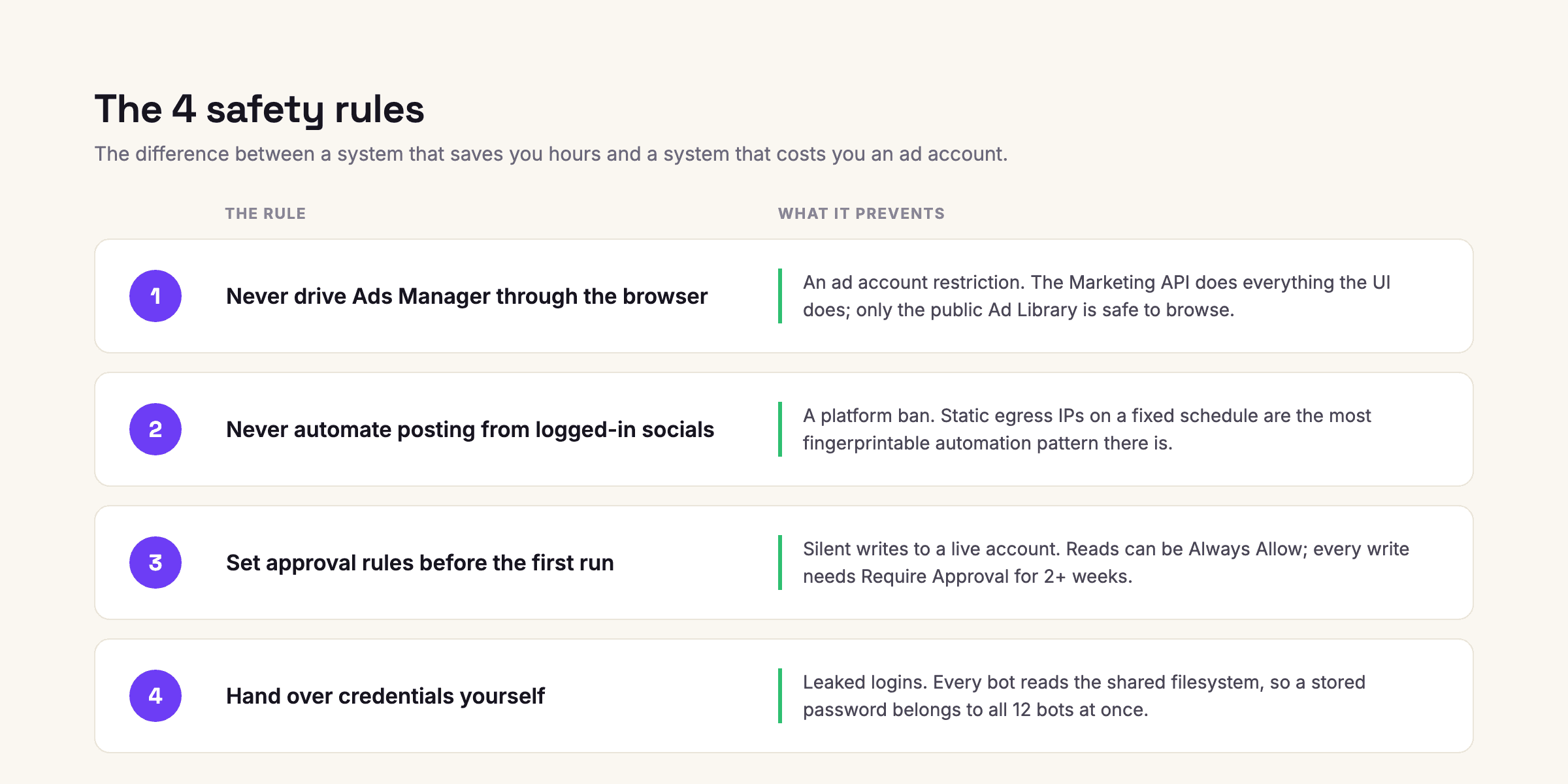
The 4 safety rules
Read this section even if you skip everything else. These rules are the difference between a system that saves you hours and a system that costs you an ad account.
Rule 1: never drive Ads Manager through the browser
Every bot in this guide that touches your ad account uses the Meta Marketing API. Building campaigns, editing budgets or pausing ads by having an agent click through the Ads Manager interface risks an account restriction, and ad account bans are slow to reverse. Unlike an organic profile, you can't just spin up a new ad account. There is no upside to browser automation here: the API does everything the UI does, faster and deterministically.
The 1 exception is the Ad Library. It's a public, unauthenticated page, so browsing it carries no account risk. And there's a specific reason you need the browser for it: Meta's Ad Library API only returns political and social-issue ads. Commercial ads are visible in the web interface and nowhere else. That single API gap is why a browsing agent is genuinely valuable for competitive research rather than a novelty.
Rule 2: never automate posting from a logged-in social account
Instagram, TikTok, Facebook, LinkedIn and X all prohibit automated account access in their terms. Combine that with Grok Bot's static egress IPs and a daily routine and you've built the easiest bot pattern on earth to detect. Research from public pages is fine. Publishing from your accounts is not. Keep publishing manual or use each platform's official API.
Rule 3: set approval rules before the first run
Grok Bot supports Require Approval and Always Allow rules, and when they conflict, Require wins. xAI's docs warn against broad allowances like approving everything in the browser. Take that seriously.
For this system: bots 1 through 10 get Always Allow on read operations, public browsing and writes to the workspace files. Bots 11 and 12 get Require Approval on every action that writes to the ad account, without exception, for at least the first 2 weeks. Loosen the kill bot later if its judgement earns it. Never fully loosen the budget bot.
Rule 4: hand over credentials yourself
Grok Bot passes control back to you for passwords, passkeys, 2FA, CAPTCHAs and payments. Let it. Never store account passwords in a bot's instructions or in a file on the shared computer, because rule zero of this architecture is that every bot can read that filesystem. Treat anything a bot reads on the open web as untrusted input too: prompt injection against agents holding live logins is a real and mostly unsolved attack class, which is 1 more argument for keeping write permissions narrow.
Core setup, step by step
Step 1: install and sign in. Download the desktop app from the Grok Bot downloads page, sign in with your Cursor or SuperGrok credentials, and let it provision your cloud computer. First boot takes a few minutes and setup runs in the background. The onboarding asks which tools you use; the answers shape suggestions but don't connect anything by themselves.
Step 2: build the workspace. Everything shared lives on the cloud computer's filesystem. Create this structure before building any bot, because every skill below references these paths:

Files beat chat. Routine histories keep only the last 20 runs and a computer reset can lose unsynced work, so anything worth keeping gets written to /workspace.
Step 3: connect plugins. Open Settings, then Plugins. Connect the Meta Marketing API (via an MCP connector or direct API credentials), your email or Slack for delivery, and Google Sheets or Drive if reports need to be shareable. xAI's guidance is to prefer a connector over browser clicking whenever one exists. That instinct maps exactly onto rule 1.
Step 4: write the context file. This is the step people skip, and it's why their bots produce generic output. Create /workspace/context/business.md and fill in every field:
## Business Brand, product, price points, AOV, margin band.
## Unit economics Target CPA or ROAS by campaign objective. Breakeven ROAS.
Blended vs per-channel targets, whichever you actually manage to.
## Account map Ad account ID, pixel ID, campaign naming convention, what each campaign is for in 1 line each.
## Competitors 5 to 10 names, their Ad Library page names (often different from the brand name), and the geos that matter.
## Reporting voice Who reads the reports, how much they already know, and the 1 metric that decides whether a week was good. Reports lead with a verdict, then evidence. 200 words max unless asked.
The last block matters more than it looks. Without it you get walls of numbers. With it you get reports you can read in 90 seconds.
Step 5: create the first bot and teach it. Create a bot, give it a 1-line role, and run its job as a normal task. When the output is right, say: save this method as a skill, including the sources, the decision rules, the output format, and the approval boundaries. Type / in the composer to invoke a saved skill and @ to reference bots, routines and connectors. Only after 3 clean manual runs do you create the routine.
The 3 research bots
These browse public pages only. Zero account risk, immediately useful, and where you should start.
Bot 1: Library Sweep
Sweeps every competitor's active Meta ads daily and reports launches, kills and longevity. Longevity is the closest thing to a free performance signal: an ad surviving 60 days is surviving someone's optimisation decisions, and an ad pulled after 4 days is a failed test you didn't have to pay for.
Skill:
Role: competitive ad researcher. Read-only. You never touch our ad account.
Each run:
1. Open the Meta Ad Library in the browser. For each page listed in /workspace/context/competitors.md, search by Page name (not brand name) with the geo filter set.
2. For every active ad, record in /workspace/research/library-log.csv:
date, page, ad ID, format, start date, days running, headline, first line of copy, landing URL domain.
3. Diff against yesterday's rows. List new ads and disappeared ads separately.
4. Flag any page that launched 3x its trailing average, and any ad crossing 30/60/90 days running.
5. Report: the diff, the flags, nothing else. If nothing changed, say so in 1 line.
Rules: never log into any Meta property. If the Library returns nothing for a page, report the miss, do not retry with the brand name unless competitors.md lists it as an alias.
Routine: daily, 6:00. Good output is 10 to 30 rows per competitor and 1 or 2 flags a week. Hundreds of rows means your geo filter is too loose.
Bot 2: Hook Ledger
Transcribes the first seconds of every competitor video ad and clusters them into hook archetypes, weighted by survival. Everyone knows the first 3 seconds decide the ad. Almost nobody keeps a running library of which openings are actually surviving in their category this month.
Skill:
Role: hook analyst. Input is /workspace/research/library-log.csv, video ads only.
Each run:
1. For each video ad still active, open it in the Ad Library and transcribe the first 5 seconds of audio and the first on-screen text card.
2. Cluster openings into named archetypes (question, claim, pattern interrupt, social proof, demo-first, problem callout...). Create a new archetype only if 3+ ads fit it.
3. Weight each archetype by total days-running of its ads, not by count. Count tells you what competitors tried. Days-running tells you what worked.
4. Update /workspace/research/hooks.md: archetype, weight, 2 example transcriptions, trend vs last week.
5. Report the top 3 archetypes by weight and any archetype whose weight doubled.
Routine: weekly, Monday 7:00.
Bot 3: Gap Mapper
Maps every angle running in the category and surfaces the ones nobody is using. The crowded lanes are crowded because that's where the visible evidence is. The gaps are usually where the cheap attention is.
Skill:
Role: angle strategist. Inputs are library-log.csv, hooks.md, and business.md.
Each run:
1. Tag every active competitor ad with its core angle: the problem it leads with, the desire it sells, the objection it handles, or the proof it shows.
2. Build a coverage map in /workspace/research/angle-map.md:
angle, who runs it, combined days-running, saturation (high / medium / open).
3. List every angle that is plausible for our product (per business.md) and currently open or low-saturation.
4. For the top 2 open angles, write a creative brief: audience, angle in 1 sentence, suggested hook archetype from hooks.md, 3 message points, format recommendation.
5. Your output is a brief, not an ad. Do not write final copy.
Routine: weekly, Monday 8:00, after Bot 2 finishes.
A note on what happens next, because it's the honest limit of the system: these 3 bots end at a validated brief. A computer-use agent can browse, transcribe, cluster and write, but it cannot render a finished creative in your brand. Whatever your production path is (designer, editor, or a creative tool) the whole loop runs at the speed of that slow half. Decide your production path before week 2, or you'll own the best-researched backlog in your category with nothing running against it.
The 4 audit bots
These read your account through the Marketing API with the ads_read token. Still no write access anywhere.
Bot 4: Structure Auditor
Walks account structure weekly, looking for audience overlap, campaign fragmentation, stranded budget, and ad sets stuck in learning.
Skill:
Role: account structure auditor. API read-only, ads_read token.
Each run:
1. Pull all active campaigns, ad sets, ads, budgets, and delivery status.
2. Flag: ad sets in learning limited for 7+ days, audiences with estimated overlap, campaigns spending under 5% of account total (fragmentation), budget sitting on paused or zero-delivery ad sets (stranded).
3. For each flag, state the fix in 1 line and the weekly cost of leaving it.
4. Write the full audit to /workspace/reports/weekly/, send only flags + costs.
Routine: weekly, Monday 9:00.
Bot 5: Pixel Sentinel
Clicks your own live ads daily and verifies that events fire and UTM tokens resolve. This is the failure that costs the most and gets noticed the latest: a dynamic UTM arriving as literal {{campaign.name}} silently breaks attribution for however long nobody looks. A daily bot catches it the same day.
Skill:
Role: tracking auditor.
Each run:
1. Via API, pull the preview/permalink for every active ad and its final URL with UTM template.
2. In the browser, open a sample of live placements per campaign.
Follow the click through to the landing page.
3. Verify: page loads, UTM parameters resolved to real values (no {{...}} tokens), pixel PageView fires, and the primary conversion event exists on the page.
4. Silence rule: if everything passes, write 1 line to the log and send nothing. Report only failures, each with the exact URL and what a fix looks like.
Routine: daily, 7:00. The silence rule is what makes a daily bot survivable. A report that only speaks when something is wrong gets read. A daily wall of green checkmarks gets muted within a week.
Bot 6: Fatigue Radar
Tracks frequency and CTR decay per creative and flags the rollover before it lands.
Skill:
Role: creative fatigue analyst. API read-only.
Each run:
1. Pull 14 days of daily stats per active creative: spend, frequency, CTR, CPM, CPA.
2. Flag any creative where frequency > threshold in thresholds.md AND CTR has declined 3 consecutive days, or CPA has risen 25%+ vs its 14-day baseline with stable CPM.
3. For each flag: days of life left at current decay, spend at risk, and which angle (from angle-map.md) it was carrying, so the replacement brief is obvious.
4. Never recommend pausing. Recommend a swap-in. Pausing is Bot 11's job.
Routine: daily, 7:30. The swap-in line is where your creative production speed shows up again. If a replacement takes a week, the winner dies before its variant lands. If it takes a day, fatigue stops being a loss and becomes a scheduled refresh.
Bot 7: Burn Finder
Finds every ad set spending above target with no path back.
Skill:
Role: waste detector. API read-only.
Each run:
1. Pull 7-day and 3-day CPA/ROAS per ad set vs targets in thresholds.md.
2. Flag ad sets above target on both windows with a worsening 3-day trend and spend above the minimum sample in thresholds.md.
3. Rank by weekly burn. State for each: burn/week, trend, and whether anything (new creative, recent edit) could plausibly turn it.
4. You find problems. You never act on them. Acting is a different bot with different permissions.
Routine: daily, 8:00. The separation in that last line is deliberate: the bot that finds problems and the bot that spends permissions on them should never be the same bot.
The 3 monitoring bots
Bot 8: Daily Brief
One report every morning, capped hard at 200 words.
Skill:
Role: reporting analyst. Inputs: yesterday's API stats + every file the other bots wrote in the last 24h.
Each run, send exactly this shape:
1. Verdict line: good / fine / problem, and why in 1 clause.
2. 3 numbers vs target: spend, CPA or ROAS, top-line volume.
3. Anything another bot flagged, 1 line each, with the owner.
4. 1 thing to decide today, if there is one. Otherwise omit.
Hard cap 200 words. No tables. Write in the voice defined in business.md.
Routine: daily, 7:00. The cap is the whole point. Reports that can't be read standing up don't get read.
Bot 9: Tripwire
Stays silent until something actually breaks.
Skill:
Role: anomaly monitor.
Each run:
1. Pull the last 4 hours: spend pace, delivery status, CPA, result volume, account status.
2. Alert ONLY on: spend pace 2x plan, delivery stopped on an active campaign, account flag/restriction, CPA 3x target on meaningful spend, conversions flatlined for 6+ hours while spending.
3. Alert format: what broke, since when, blast radius in money/hour, first thing a human should check.
4. If nothing qualifies: no message. Not a checkmark. Nothing.
Routine: every 4 hours. An alarm that fires when nothing is wrong is not an alarm. It's noise you'll mute in a fortnight, right before the real one.
Bot 10: Test Referee
Live standings on every creative test, with a decision rule and honest days-to-confidence.
Skill:
Role: test scorekeeper. Reads test definitions from thresholds.md (test name, variants, metric, minimum sample, decision rule).
Each run:
1. Pull per-variant stats for every live test.
2. Standings: leader, margin, sample vs minimum, and estimated days to a confident call at current pace.
3. Apply the decision rule only when minimum sample is met.
Below sample, the verdict is "too early", never a ranking.
4. Ties within the noise band are reported as ties.
Routine: daily, 8:30, while a test is live. The tie rule matters: small differences at low volume are noise, and a scoreboard that ranks them anyway trains you to decide on nothing.
The 2 optimisation bots
These are the only bots holding the ads_management token, and every action they take requires your approval for at least the first 2 weeks.
Bot 11: Kill List
Pauses confirmed losers, inside hard limits.
Skill:
Role: kill executor. ads_management token. Every pause requires approval.
Each run:
1. Read Bot 7's flags and the kill rules in thresholds.md.
2. Qualify a kill ONLY if: above target on 7-day AND 3-day windows, past minimum sample, not part of a live test in thresholds.md, and not edited in the last 72 hours.
3. Maximum 3 pauses per run, ranked by burn. Everything else waits for the next run.
4. For each proposed pause: the rule it tripped, the numbers, the weekly saving. Then request approval.
5. After approval, execute via API and append to /workspace/logs/kills.csv: date, ad, angle, total spend, reason.
Routine: daily, 9:00. The 3-per-run cap is a circuit breaker: if your thresholds are misconfigured, you lose 3 creatives, not the account. And the kills log quietly becomes one of the most valuable files in the system. After a few months it's a priced record of every angle that failed, which feeds straight back into Bot 3's map.
Bot 12: Ladder
Steps budget on winners, slowly.
Skill:
Role: scale executor. ads_management token. Every change requires approval.
Each run:
1. Qualify winners: below target CPA (or above target ROAS) on 7-day AND 3-day windows, past 2x minimum sample, stable or improving trend, frequency under threshold.
2. Propose +20% budget on at most 2 ad sets per run. Never propose a second step on the same ad set within 72 hours.
3. Show: current budget, proposed, the qualifying numbers, and projected new daily spend. Request approval.
4. After approval, execute and append to changes.csv.
5. If a previously stepped ad set regressed above target, say so first, before proposing anything new.
Routine: every 3 days, 9:30. You'll see advice to step winners 20 percent daily. Compounded, that roughly doubles the budget in 4 days, destabilises delivery and throws the ad set back into learning. Every 3 days is slower, and it holds.
Rollout: 6 weeks, not 1 weekend
Build all 12 at once and 2 things happen: you hit the quota wall, and everything fails simultaneously on a shared computer with no way to tell which part broke.

Week 1, 3 bots. Daily Brief (8), Tripwire (9), Library Sweep (1). Read-only, useful on day 1, and they teach you your real burn rate before you've committed to anything. Run each manually, check output, then schedule.
Week 2, research. Hook Ledger (2) and Gap Mapper (3). You'll get your first angle map this week, and you'll feel the creative production gap the same morning. Decide your production path now.
Week 3, audit. Pixel Sentinel (5) first, because it's the bot most likely to find something expensive on day 1. Then Fatigue Radar (6) and Burn Finder (7).
Week 4, the rest of monitoring. Structure Auditor (4) and Test Referee (10).
Week 5 and 6, optimisation, carefully. Kill List (11) with approval on everything, watched for 2 full weeks. Ladder (12) only after that.
When things break
Bots stuck or "failed to respond" across devices. The shared computer can enter a stuck state; the fix is resetting the bot's computer from settings. A reset can lose unsynced work, which is exactly why everything important in this system writes to /workspace files instead of living in chat.
Quota gone by Wednesday. Cut routine frequency before you cut bots. Bots 2, 3 and 4 are fine weekly. Tripwire every 4 hours is worth more than most daily runs. Also delete dead routines: a one-shot watcher left running keeps waking up, finding nothing, and billing you for it.
A bot improvising outside its lane. Tighten the skill and check the context file. Vague instructions produce improvisation, and the bot's separate memory means a drift left uncorrected compounds.
Ad Library returning nothing. Check the country filter and confirm you're searching the Page name, not the brand name. They're often different.
Kill List proposing pauses you didn't expect. Almost always a kill rule firing on a mid-test creative that hasn't reached minimum sample. Check that thresholds.md carries the current test definition and that Bot 10 and Bot 11 read the same file.
What you actually get
After a month of this running: competitive research that does itself every morning, tracking breaks caught the day they happen instead of the week after, fatigue flagged before it costs you, kills and scales proposed with receipts, and nobody checking the account on a Sunday out of anxiety.
What you don't get: strategy, taste, or a single finished creative. The system reads, watches, and enforces rules you wrote. The judgement, and the ads, are still on you.
Build the 3-bot version first. Make it boring and reliable. Then decide how far you want to go.
Running Meta ads for a store? Vibelets reads your product URL, generates the ad creatives, and launches to Meta with you approving every change, the same human-in-the-loop pattern as bots 11 and 12. Start with 50 free credits.
FAQ
Do I need to know how to code to set this up?
No. Every bot is built from plain-language skills and routines inside the Grok Bot app. The only technical steps are generating 2 Meta system user tokens and connecting plugins, both of which are settings screens, not code.
Can Grok Bot get my Meta ad account banned?
It can if you let bots click through Ads Manager or post from logged-in social accounts, because automated UI access violates platform terms and runs from static, fingerprintable IPs. Keep every account action on the Marketing API and every browse limited to public pages and the risk drops to roughly zero.
How much does running 12 bots cost?
xAI publishes no numeric allowances, so plan from community reports: a 6-agent setup burned 42 percent of a weekly quota on day 1. Start with 3 bots, learn your burn rate in week 1, and move slow routines to weekly before adding more bots.
Why not just use Meta's automated rules instead of bots 11 and 12?
Meta's native rules can pause and scale too, and for simple thresholds they're free and safe. The bots add cross-referencing the rules can't do: checking a kill against live test definitions, edit recency, and your angle map, and writing a priced log of every decision.
Can the bots write and launch new ads too?
They can draft briefs and, via the API, technically upload creative, but this system deliberately stops at the brief. Creative generation needs a production pipeline outside Grok Bot, and auto-launching unreviewed ads is where automated accounts go to die.
What happens when I go on holiday?
Routines keep running, and after a long period of inactivity Grok Bot may ask whether to keep them running and pause them if you don't respond. Tripwire plus approval gates means nothing structural changes without you: kills and scales queue for approval, and only the read-only bots keep acting.
Sources
xAI, Grok Bot documentation: getting started, skills and routines, security and approvals (docs.x.ai/grok-bot)
xAI, Grok Bot launch announcement, 11 August 2026
Meta, Ad Library API documentation (political and social-issue ad scope)
Meta, Marketing API documentation (system users and token scopes)
Make ads that sell
your Products.
Generate on-brand product ads in minutes, no designer or brief required.
Trusted by 400+ growing brands